A word combiner takes several lists of words and joins them into every possible phrase in one click. Instead of typing hundreds of variations by hand, you paste your lists, choose a separator and get a clean, copy-ready result. UseTools.in gives you this free online word combiner with no sign-up, no limits on how often you use it and no data leaving your browser.
What Is a Word Combiner and Why Use One?
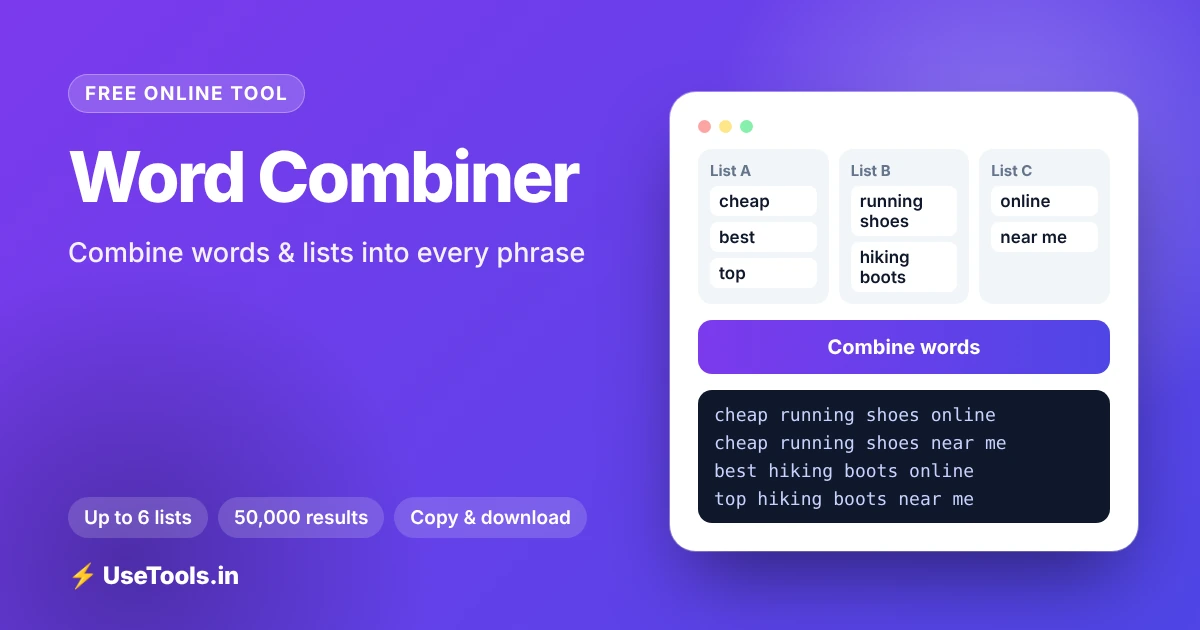
A word combiner, also called a word combination generator or keyword combiner, multiplies lists together. If List A has three words, List B has two and List C has two, the tool builds 3 × 2 × 2 = 12 unique phrases. Add one more word to each list and the result jumps to 36. This is exactly the kind of boring, repetitive work a computer should do for you.
People use a combine words online tool for very different jobs. Search marketers need keyword permutations for Google Ads and SEO research. Founders brainstorm brand names and domain ideas. Writers test title variations. Developers generate test data, usernames and URL slugs. Because the logic is the same in every case, one flexible tool covers all of them.
How to Use the Word Combiner Tool
- Choose Combine lists to join words from separate lists, or Mix one list to build two-word or three-word phrases from a single list.
- Type or paste one word or phrase per line in each list. Use + Add list if you need up to six lists.
- Pick a separator: space, hyphen, underscore, comma, nothing at all, or your own custom character.
- Optionally add a prefix and suffix, choose letter case and keep Remove duplicate results switched on.
- Press Combine words, then use Copy result or Download .txt.
Quick example: List A = cheap, best; List B = running shoes; List C = online, in India. With a space separator you instantly get cheap running shoes online, cheap running shoes in India, best running shoes online and best running shoes in India.
Word Combiner for SEO and Keyword Research
Most long-tail searches follow a pattern: an intent word, a product and a modifier such as a place or year. A keyword combiner lets you cover the whole pattern systematically. Put intent words such as buy, best and cheap in List A, your products in List B and locations in List C. In seconds you have a complete seed list you can check for search volume and difficulty.
Good SEO is not about stuffing every combination onto one page. Use the generated list to discover which phrases deserve their own page, which belong as subheadings, and which are better handled in a single FAQ answer. Group similar phrases by intent first, then decide on page structure. If you also want to understand how a page is performing technically, run it through our SEO Score Checker.
Build Google Ads Keyword Lists Faster
Paid search accounts depend on well-organised keyword lists. The prefix and suffix fields make match types easy: add a quote mark in both fields for phrase match, or [ as prefix and ] as suffix for exact match. Need every match type at once? Copy the output and paste it into the Keyword Match Type Tool, which formats broad, phrase, exact and negative keywords together and exports a CSV for Google Ads Editor.
A practical workflow is to build the list here, remove obviously irrelevant lines, then split the keywords into tightly themed ad groups. Smaller, focused ad groups usually give better ad relevance and cleaner reporting than one giant list.
Generate Brand, Business and Domain Name Ideas
Great names are often two simple words put together. Place adjectives in List A and nouns in List B, set the separator to None, and you get one-word brand ideas such as BrightLedger or SwiftCart. Choose Title Case for a polished look. Once you have a shortlist, test availability and history with the Domain Age Checker so you do not buy a domain with a messy past.
Mix One List: Two-Word and Three-Word Phrases
The Mix one list mode is ideal when you have only one pile of words. It builds ordered phrases of two or three different words, using every possible ordering. A list of ten words produces 90 two-word phrases, because each word can appear first or second. That makes it perfect for naming brainstorms, tag ideas and creative writing prompts. If you are creating video tags, you may also like our Tag Generator for YouTube.
Key Features
- Up to six lists and up to 50,000 combinations per run, with a clear message showing how many were possible in total.
- Flexible separators: space, hyphen, underscore, comma, none or custom.
- Prefix and suffix for quotes, brackets, hashtags or file-name patterns.
- Letter case control: as typed, lowercase, UPPERCASE or Title Case.
- Duplicate removal so repeated words never create repeated phrases.
- Private by design: everything runs in your browser and nothing is uploaded.
- Copy and download as a plain .txt file in one click.
Tips for Better Word Combinations
- Keep each list focused on one role, such as intent, product or location. Mixed lists create awkward phrases.
- Start small. Three or four words per list is enough to check the pattern before you scale up.
- Use lowercase for SEO and ads lists, and Title Case only for names or headings.
- Watch the combination count. Six lists of ten words would mean a million phrases, far more than anyone can review.
- Review the output manually. A computer cannot tell that a phrase sounds unnatural, so delete weak lines before using them.
Is the Word Combiner Safe and Private?
Yes. The tool is a client-side script. Your lists are processed by your own browser and are never sent to our servers, which matters when you are working with unreleased product names or client keyword research. You can even use it offline once the page has loaded.
Word Combiner FAQs
What is a word combiner?
A word combiner joins words from several lists into every possible combination. For example, “cheap” + “running shoes” + “online” becomes “cheap running shoes online”.
How many combinations can I create?
The tool creates up to 50,000 lines at a time and shows how many combinations were possible, so your browser stays responsive.
What is the “Mix one list” mode?
It builds phrases of 2 or 3 words from a single list, using every ordering of different words. It is handy for name and keyword ideas.
Can I add a prefix or suffix?
Yes. Prefix and suffix text is added to every line, for example quote marks or brackets for Google Ads match types.
How do I use the output for Google Ads?
Combine your lists, copy the result and paste it into the Keyword Match Type Tool to format broad, phrase and exact match keywords in one step.
Does the Word Combiner upload my words anywhere?
No. Everything runs in your browser and nothing is sent to our servers.
Can I download the results?
Yes. Use Copy result to paste the list anywhere, or Download .txt to save it as a text file.