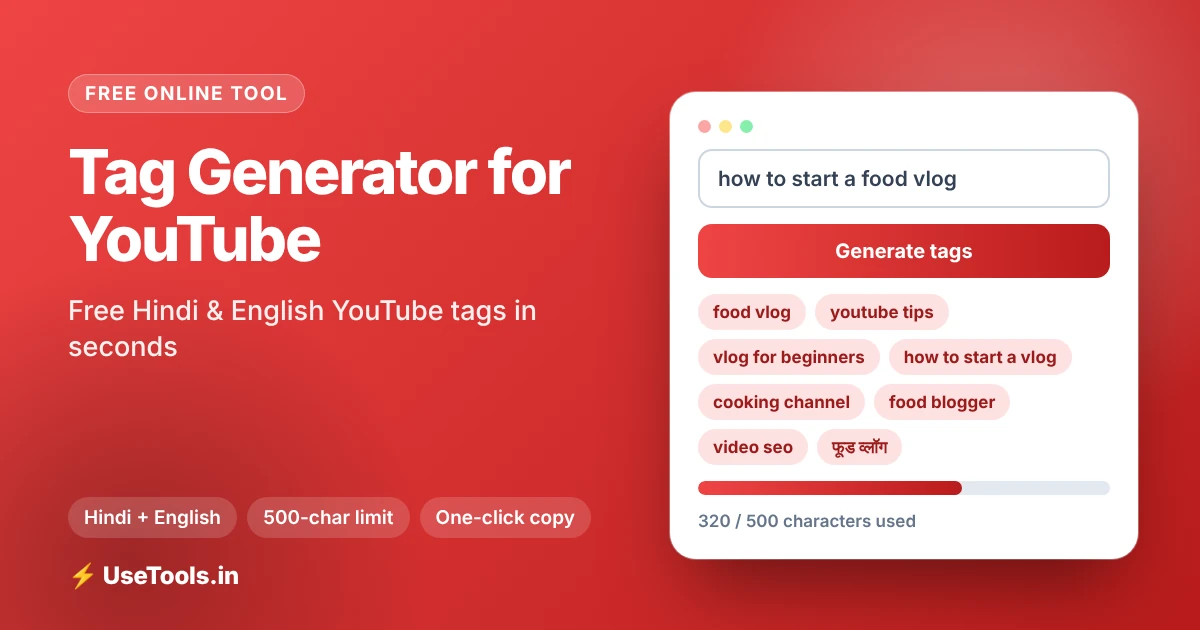
The tag generator for YouTube creates relevant, search-friendly tags from your video title or main keyword in English, Hindi or both. Type a topic, press generate, select the tags you like and paste them straight into YouTube Studio. This free YouTube tag generator also keeps count of the 500-character limit so you never go over.
What Are YouTube Tags?
YouTube tags are short keywords or phrases you add in the video details to tell YouTube what your video is about. Viewers cannot see them on the watch page, but the platform reads them as one of several signals about your topic. They are especially useful for spelling variations, common mistakes and alternative names that do not appear in your title.
It is worth being realistic. YouTube has said tags play a minor role compared with your title, thumbnail, description and above all viewer satisfaction. That does not make them useless: good tags still support discovery, help YouTube understand niche or ambiguous topics and cost you only a minute. A reliable YouTube tags generator makes that minute count.
How to Use the Tag Generator for YouTube
- Enter your video title or main keyword, for example
how to start a food vlog. You can use English or Hindi (Devanagari). - Choose the tag language: English for global reach, Hindi for Devanagari tags or Hindi + English for a mixed audience.
- Turn on the tag options you want: year tags, question tags, long-tail variations, Hinglish tags and YouTube search suggestions.
- Press Generate YouTube Tags. The results appear as clickable chips.
- Remove weak tags by clicking them, check the character counter, then copy the final set into YouTube Studio under Show more → Tags.
Tip: YouTube allows up to 500 characters of tags in total, including commas. The live counter shows characters used and left, so you can trim confidently.
Hindi and Hinglish YouTube Tags
A large part of India’s audience searches in Hindi, in Roman-script Hindi (Hinglish) or a mix of both. Someone looking for a recipe might type paneer butter masala recipe, पनीर बटर मसाला रेसिपी or paneer butter masala kaise banaye. Your tags should reflect these real habits. This tool can generate Hindi YouTube tags in Devanagari and Hinglish variations, so one video can cover several ways of searching without keyword stuffing.
Types of Tags You Should Use
- Exact keyword tag: your main phrase exactly as people search it, placed first.
- Long-tail tags: specific phrases such as food vlog setup for beginners that attract less competition and clearer intent.
- Question tags: phrases starting with how, what or why, which match how people use search.
- Year tags: a current year attached to topics that change, such as reviews or tutorials.
- Broad category tags: a few general topic tags, such as vlogging or cooking, to place the video in the right area.
- Related suggestions: real phrases pulled from YouTube search suggestions to match what people already type.
YouTube Tag Best Practices
- Be relevant. Never use popular tags that do not match your video. It can violate YouTube’s policies and harms viewer trust.
- Lead with your main keyword. The first tag should be your target phrase.
- Use 5 to 15 focused tags. Quality beats quantity, and you do not have to fill all 500 characters.
- Match the title. Your title, description and tags should tell the same story.
- Do not repeat yourself. Ten versions of the same phrase add little. Vary the wording instead.
- Refresh old videos. If a video is slowly gaining views for a new phrase, add that phrase as a tag.
Tags vs Hashtags vs Keywords in the Description
Tags are hidden. Hashtags are visible, clickable and appear above your title when you add up to three in the title or description. Keywords written naturally in the description help both viewers and search. A strong upload uses all three: a clear keyword title, two or three relevant hashtags, a helpful description and a tidy set of tags from the generator.
A Simple YouTube SEO Workflow
Start with topic research: type your idea into YouTube search and note the suggestions. Write a title that includes your main keyword and promises a clear benefit. Generate tags here, edit them down, then write a description whose first two lines contain the keyword naturally. Add an eye-catching thumbnail, publish, and review watch time and click-through rate after a week. If you build your own keyword lists, our Word Combiner can join topics and modifiers into more long-tail ideas, and our Image Convert MB to KB tool helps you keep thumbnails under YouTube’s size limit.
Example: Tags for a Food Vlog Video
Imagine your video is titled How to Start a Food Vlog in 2026. The generator might return your exact keyword first, followed by long-tail phrases such as food vlog for beginners, how to start a vlog and food vlogging tips, then question tags, a year tag and Hinglish or Hindi versions if you enabled them. You would keep the eight to twelve tags that truly describe the video, delete the rest and copy the final list. The whole process takes less than a minute and gives you a consistent starting point you can refine for every upload.
Common YouTube Tagging Mistakes
- Copying competitor tags blindly. If their video covers a different angle, the tags will confuse YouTube about yours.
- Stuffing unrelated trending words. This can lead to policy action and does not bring the right viewers.
- Ignoring language. If your audience searches in Hindi or Hinglish, English-only tags miss them.
- Forgetting to update. Re-check tags when you change the title or refresh an older video.
Privacy and Limits
Tag generation runs in your browser. The optional YouTube search suggestions and Hindi conversion features send your keyword to an external service to fetch results, and you can switch them off if you prefer. There is no sign-up and no usage cap.
Tag Generator for YouTube FAQs
What is a YouTube tag generator?
It is a tool that suggests relevant tags for your video based on a title or keyword, so you can add them in YouTube Studio quickly.
How many tags can I use on YouTube?
YouTube allows up to 500 characters of tags in total. The generator counts characters for you and shows how many are left.
Can I generate Hindi YouTube tags?
Yes. Choose Hindi for Devanagari tags or Hindi + English for a mixed set, and enable Hinglish tags for Roman-script Hindi searches.
Do YouTube tags help videos rank?
Tags are a minor signal. They help with context and spelling variations, but titles, thumbnails, descriptions and watch time matter more.
Where do I paste the generated tags?
Open YouTube Studio, edit your video, click Show more and paste the copied tags into the Tags box.
Is the tool free and does it need login?
It is free and requires no login or registration.