A duplicate line remover is an online tool that scans your text, finds lines that appear more than once and keeps only one copy of each. Paste your list into the tool above, press Remove Duplicates and copy a clean result in seconds. It is free, needs no sign-up and runs entirely in your browser, so your data stays private.
What Is a Duplicate Line Remover?
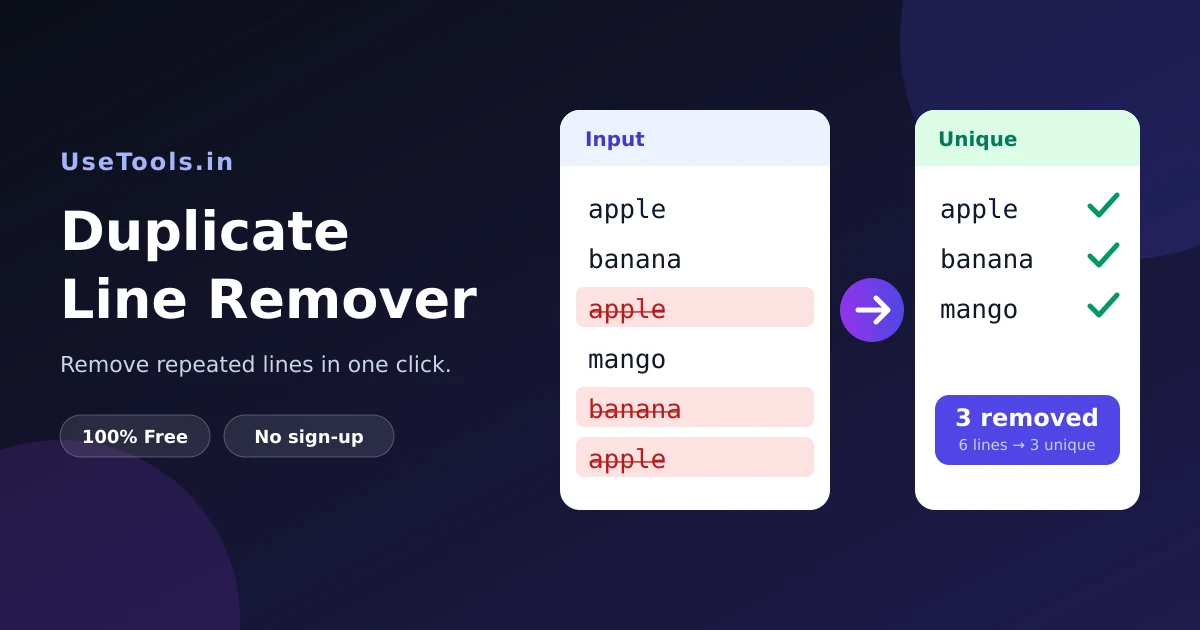
A duplicate line remover is a text-cleaning utility that compares every line of your input with the lines that came before it. When it finds a line that has already appeared, it drops the repeat and keeps the first copy. The output is a list in which every line is unique.
Doing this by hand is slow and easy to get wrong, especially when a list has hundreds or thousands of rows. Spreadsheets can do it, but you have to open a file, select a column and run the right command. With this tool you simply paste, click and copy.
How to Use the Duplicate Line Remover
- Paste your text into the left box. Make sure each item is on its own line.
- Choose your options: case-sensitive matching, trimming, empty-line removal or A–Z sorting. The result refreshes when you change an option.
- Press Remove Duplicates. Your unique lines appear instantly in the right box.
- Check the counters to see how many lines you started with, how many remain and how many duplicates were removed.
- Press Copy Result and paste the clean list into Excel, Google Sheets, a document or your code editor.
Key Features
- Instant processing: Thousands of lines are cleaned in a moment.
- Case-sensitive switch: Decide whether “Apple” and “apple” are the same line or two different ones.
- Space trimming: Lines that differ only by a stray space at the start or end are treated as duplicates.
- Empty-line removal: Strip blank lines from copied text in the same click.
- A–Z sorting: Alphabetize the final list when you need it in order.
- Remove all copies: Keep only the lines that were never repeated.
- Private by design: Everything runs in your browser and your text is never uploaded.
When to Remove Duplicate Lines
Cleaning email and contact lists
Lists exported from forms, CRMs and spreadsheets often contain the same address several times. Removing duplicates prevents people from receiving the same message twice and helps protect your sending reputation.
SEO and keyword research
Keyword tools overlap heavily. When you combine exports from several sources, the same phrases appear again and again. Paste them all in, remove duplicates and you have one master list ready for clustering or targeting.
Programming and data work
Developers use unique lists for IDs, URLs, log entries, domain names and configuration values. A quick pass through the tool can save you from writing a one-off script.
Writing, research and everyday notes
Reference lists, name lists, to-do items and survey answers collect repeats naturally. A clean list is easier to read, count and share.
Example: Before and After
| Option set | Input | Output |
|---|---|---|
| Default (case-insensitive, trim on) | Apple, apple, Mango, Apple | Apple, Mango |
| Case-sensitive on | Apple, apple, Mango, Apple | Apple, apple, Mango |
| Remove all copies | Apple, Apple, Mango | Mango |
Tips for Better Results
- Leave case-sensitive off for names, emails and keywords. Email addresses are normally treated the same regardless of capital letters.
- Keep trimming on when you paste from web pages or PDFs, because invisible spaces at line ends are common.
- If your items are separated by commas, first put them one per line, then run the tool.
- Use sorting only when order does not matter. Without it, your original order is preserved.
- Skim the final list once before using it in an important campaign or import.
Quick tip: “Remove all copies” is different from normal duplicate removal. It deletes every line that appears more than once, including the first one. Use it when you want to find values that are truly unique.
Things to Keep in Mind
The tool compares whole lines, so two lines that look similar but have different spelling or punctuation are treated as different. It works on plain text only. If your data is in an Excel file, copy the column and paste it into the tool first. Very large inputs depend on your device’s memory and browser speed.
Duplicate Line Remover FAQs
What is a duplicate line remover?
It is an online tool that scans your text, finds lines that appear more than once and keeps only one copy of each, so you get a clean list of unique lines.
Is the Duplicate Line Remover free?
Yes. It is completely free, has no daily limit and needs no registration.
Is my text uploaded to a server?
No. All processing happens inside your browser, so your text never leaves your device.
Does the tool treat uppercase and lowercase as different?
By default it does not, so Apple and apple count as duplicates. Turn on the case-sensitive option to treat them as different lines.
Does it keep the original order of my lines?
Yes. The first occurrence of each line is kept in its original position unless you choose the A–Z sort option.
How many lines can I process at once?
Tens of thousands of lines are usually processed in a moment. Very large inputs depend on your device and browser speed.
What does the remove all copies option do?
It deletes every line that appears more than once, including the first copy, so only lines that were already unique remain.
Does it work on mobile phones?
Yes. The tool works in any modern browser on phones, tablets and computers.