This marks calculator with negative marking gives you the score you would really get after wrong answers are deducted. Enter total questions, maximum marks, questions attempted and wrong answers, then choose the penalty ratio. You get your net score, accuracy, marks per attempt and break-even accuracy at once. It suits any objective exam, from school tests to NEET, JEE, UPSC, SSC, RRB and bank papers.
What Is a Marks Calculator With Negative Marking?
Most competitive exams do not simply count correct answers. They award marks for right answers, nothing for blanks and subtract marks for wrong ones. A marks calculator with negative marking does this arithmetic for you, so you do not have to convert fractions by hand after every mock test.
The raw score is only the marks earned from correct answers. The net score is what remains after the penalty. Two students can have the same raw score and very different net scores, which is why the net score is the only honest way to judge a test.
How to Use the Calculator
- Tap an exam chip to fill a typical ratio, or pick 1/4, 1/3, 1/2, 1 or None yourself.
- Enter Total Questions and Maximum Marks of the paper.
- Enter Questions Attempted and Wrong Answers.
- Press Calculate my score to see the net score, accuracy and gauge.
- Use Clear for the next test, or download the PDF and share the result.
Important: Presets show typical ratios only. Marking schemes change between exams, years and stages, so confirm the scheme in your official notification or question paper instructions.
Formulas Behind the Calculator
- Marks per correct answer = Maximum Marks ÷ Total Questions
- Correct answers = Attempted − Wrong
- Unattempted = Total Questions − Attempted
- Penalty per wrong answer = Marks per correct × Ratio
- Net score = (Correct × Marks per correct) − (Wrong × Penalty)
- Accuracy = Correct ÷ Attempted × 100
Two Worked Examples
Example 1: 1 mark per question, 1/4 penalty. A paper has 120 questions for 120 marks. You attempt 100 and 24 are wrong. Correct = 76 and the penalty per wrong answer is 0.25. Net score = 76 − 6 = 70 out of 120. Accuracy is 76%.
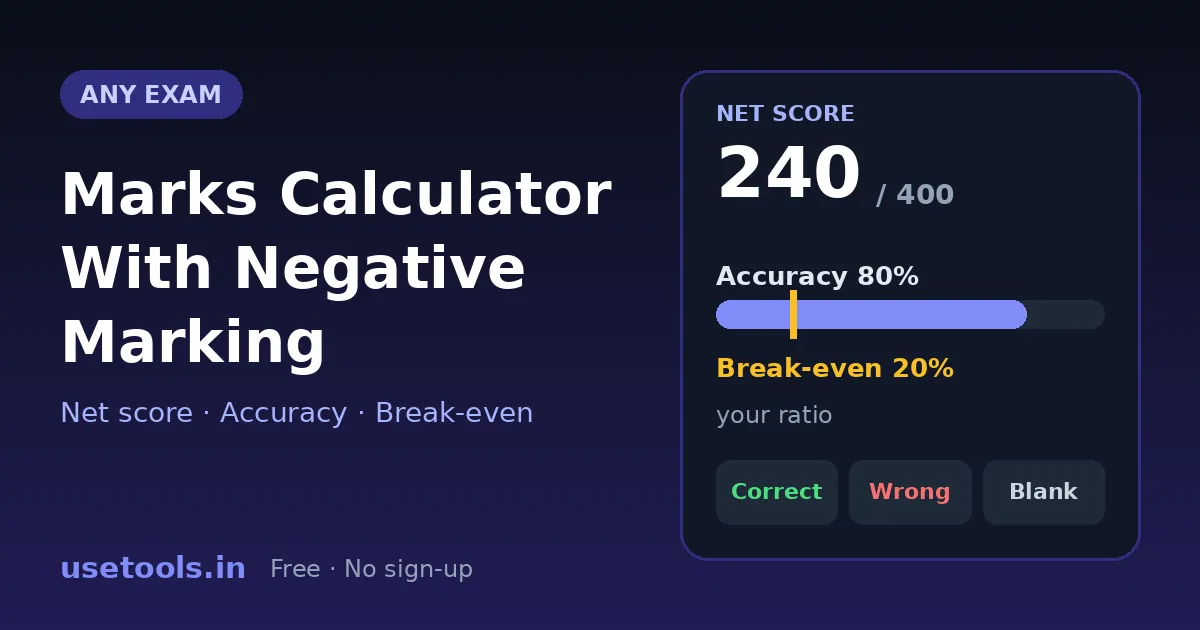
Example 2: 4 marks per question, −1 per wrong answer. A paper has 100 questions for 400 marks. You attempt 80 and 16 are wrong. Correct = 64, so net score = 256 − 16 = 240 out of 400. Accuracy is 80%. Because −1 on a 4-mark question is a quarter of its marks, the ratio is 1/4.
How to Find the Negative Marking Ratio of Your Exam
The ratio is simply the penalty for one wrong answer divided by the marks for one correct answer. Read the instructions on your paper and match them to the table below.
| Marks scheme (correct / wrong) | Ratio | Break-even accuracy |
|---|---|---|
| +4 / −1 | 1/4 | 20% |
| +2 / −0.5 | 1/4 | 20% |
| +2 / −0.67 | 1/3 | 25% |
| +1 / −0.5 | 1/2 | 33.33% |
| +1 / −1 | 1 | 50% |
| +1 / 0 | None | 0% |
Break-Even Accuracy and Marks per Attempt
Two extra numbers make the result more useful than the score alone. Break-even accuracy = Ratio ÷ (1 + Ratio) × 100. It tells you the accuracy at which attempting a question neither gains nor loses marks on average. If your accuracy sits above it, your attempts are paying off. Below it, guessing is costing you marks.
Marks per attempt divides your net score by the questions attempted. If it falls while your attempts rise in later mocks, the extra attempts are hurting your score. Track both numbers along with accuracy to see whether your strategy is improving or just getting riskier.
Tracking Progress Across Mock Tests
Use the calculator after every test and note attempts, accuracy, net score and marks per attempt in a notebook or spreadsheet. After four or five tests a pattern appears. Rising attempts with falling accuracy mean too much guessing. High accuracy with low attempts means you are leaving marks on the table. Aim to push accuracy comfortably above the break-even line while raising attempts gradually.
If a paper has sections with different marks or penalties, calculate each section separately and add the net scores yourself.
Who Can Use This Calculator?
Students preparing for NEET, JEE, UPSC, SSC, RRB, banking, state PSC and defence exams can use it, and so can teachers who check objective tests that carry a penalty. Coaching institutes can use it to compare results across a batch. Because you choose the ratio and the marks yourself, you are not locked into one exam pattern. It runs in your browser on mobile or desktop, needs no sign-up and asks only for numbers.
Common Mistakes With Negative Marking
- Treating every wrong answer as −1. Many exams deduct a fraction of the question’s marks.
- Using last year’s scheme. Marks and penalties can change between years and stages.
- Counting blanks as wrong. Unattempted questions are neutral in the standard model.
- Chasing accuracy only. 95% accuracy on 40 attempts can still lose to 80% on 90 attempts, so watch the net score.
Marks Calculator With Negative Marking FAQs
How do I calculate marks with negative marking?
Multiply correct answers by the marks per question, then subtract wrong answers multiplied by marks per question and the penalty ratio.
How do I find the negative marking ratio?
Divide the penalty for one wrong answer by the marks for one correct answer. A +4 and −1 scheme gives a ratio of 1/4.
Does it work for any marks per question?
Yes. Marks per correct answer are Maximum Marks divided by Total Questions, so 1, 2, 2.5 or 4 marks all work. For mixed-mark papers, calculate each section separately.
Do unattempted questions reduce my score?
No. In the standard model unattempted questions score zero and are not penalised.
Can I use it for school or college MCQ tests?
Yes. Any objective test with a fixed penalty works. Enter the totals, choose the ratio or select None if there is no penalty.
Can I download my result?
Yes. Use the Download PDF option or share the result directly after calculating.